Start a conversation.
Ask a question, draft something, explore an idea, or work through a decision. Follow up naturally and shape the answer as you go.
Talk with Augure, think through a problem, or put it to work. Built-in skills and enabled tools help Augure research, calculate, create, and work through the steps with you.
Augure Desktop 3 beta · Mac, Windows and Linux.
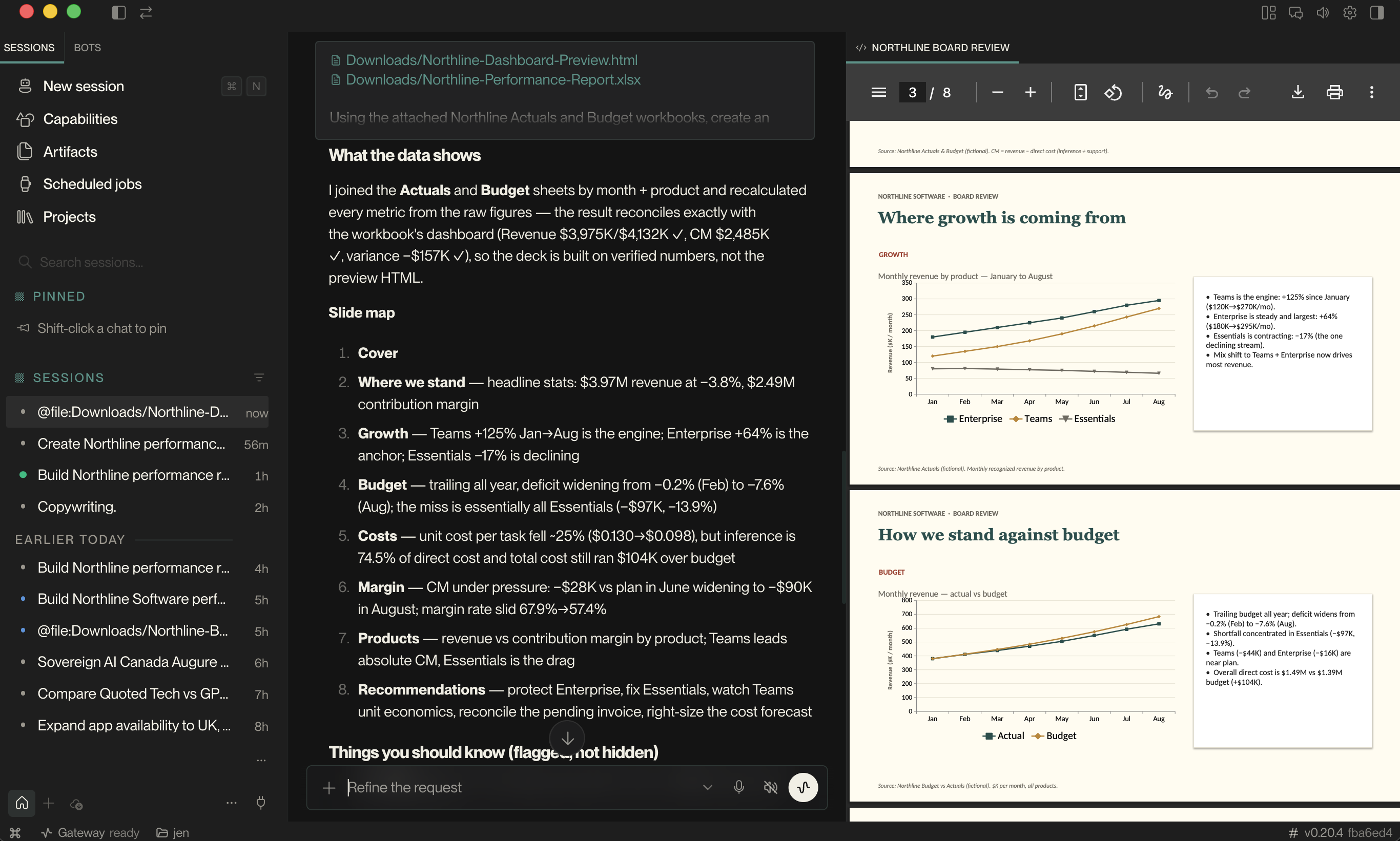
Augure Desktop brings the model together with instructions for the task, access to your material, and tools it can use. Results from those tools give it something concrete to work from at the next step.
Ask a question, draft something, explore an idea, or work through a decision. Follow up naturally and shape the answer as you go.
Give Augure a task that takes more than one action. It can use tools, inspect the results, and continue from what it learns. Follow the activity, change direction, or stop.
Read files, search the web, run code, and carry out calculations with the tools enabled in your workspace. Tool calls and their results become part of the work.
Reusable instructions and helpers guide tasks such as research, spreadsheets, presentations, and code. Relevant skills can be loaded as Augure works, without you writing a specialist prompt.
Start with a question. Explore the decisions, sharpen your thinking, and build on the answer in the same conversation.
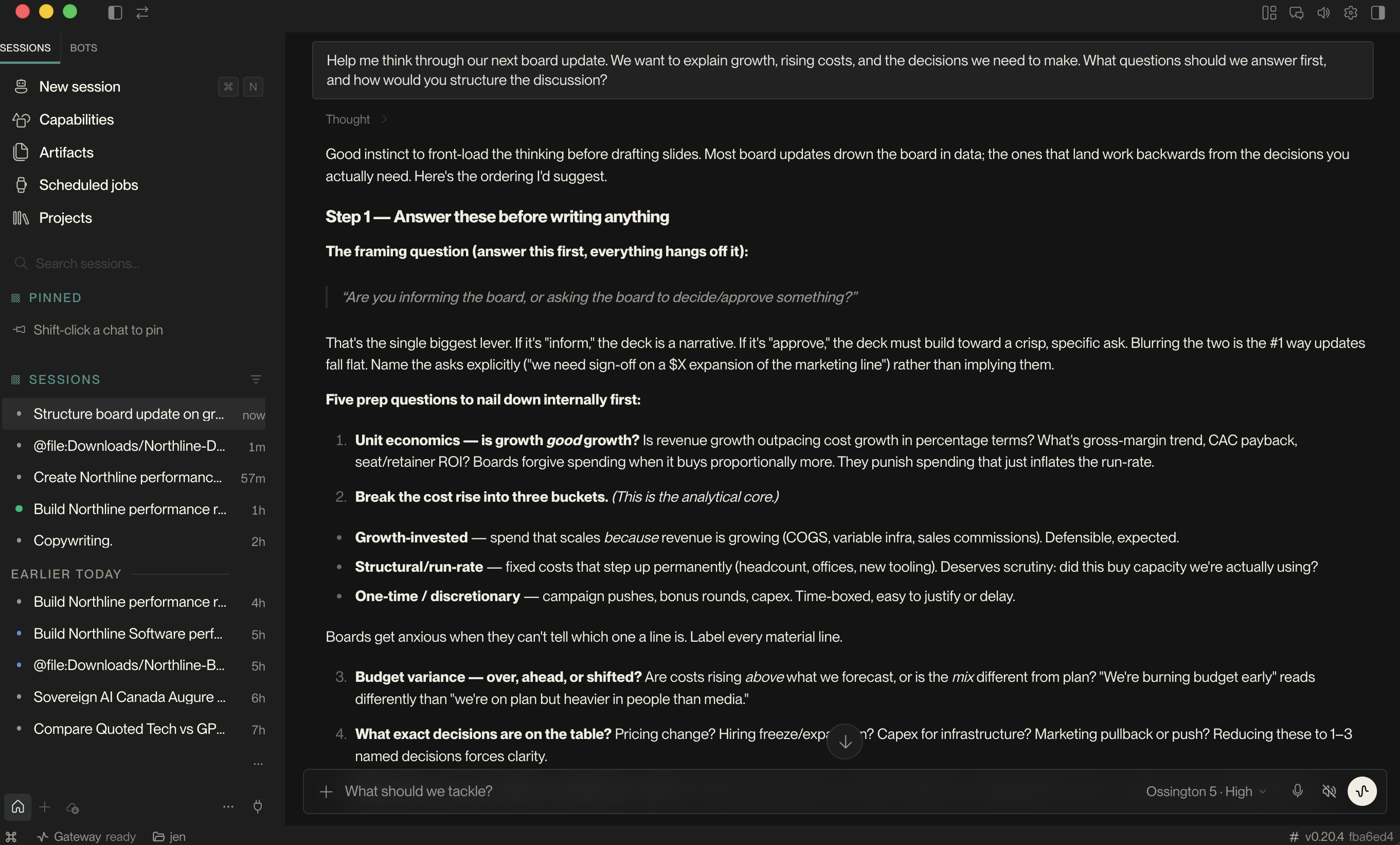
A spreadsheet question can involve reading the files, using a spreadsheet skill, running calculations, and checking the result. Skills guide the approach; tools carry out the actions.
The same conversation can continue into a report, a presentation, or the next question.
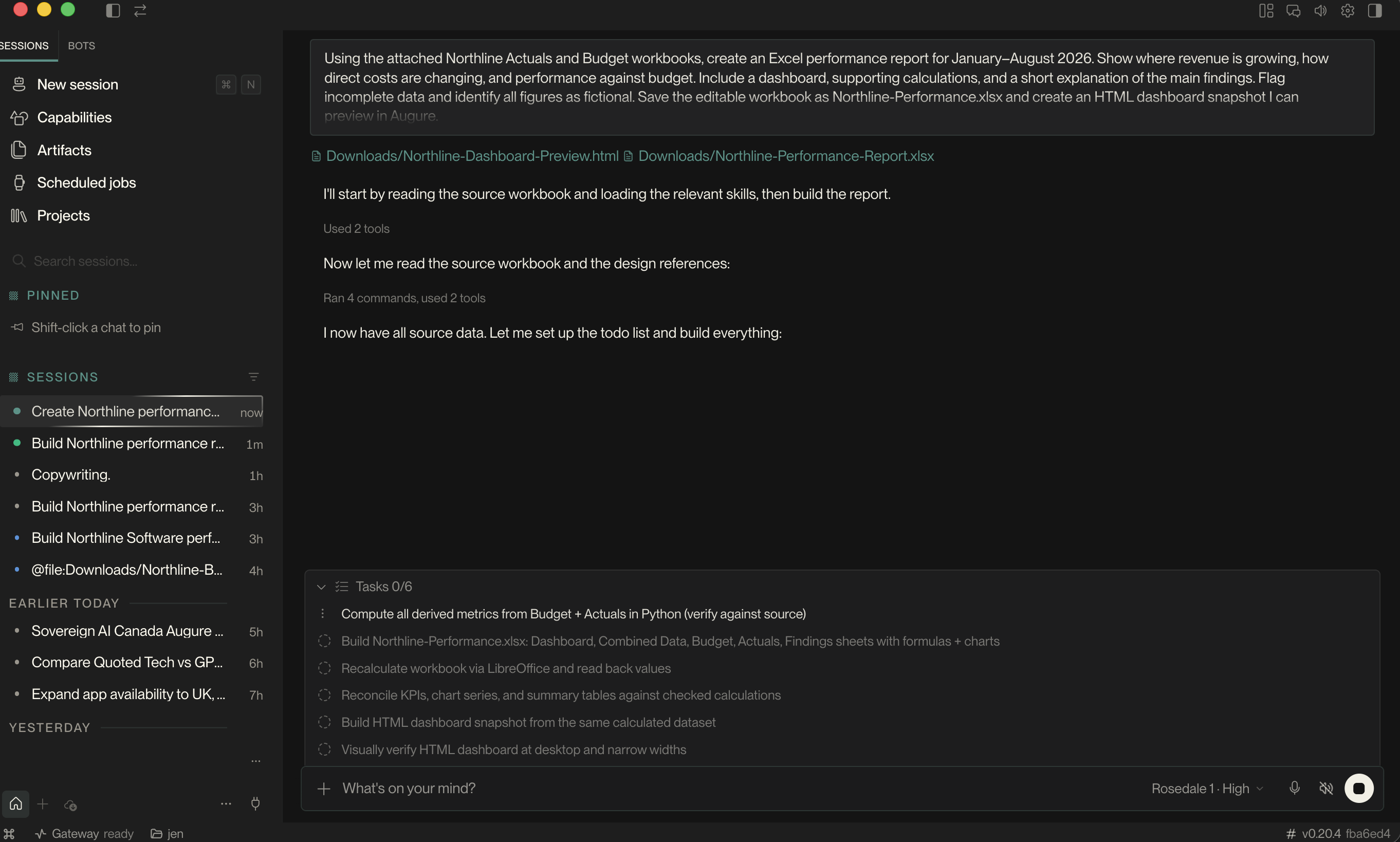
See that working environment in practice. Bring your files, ask a question, and build on the result—from the first calculation to the presentation you take away.
Bring actuals and budgets together. Explore what changed, see the comparisons, and take the analysis with you in an editable workbook.
“Where are we growing—and where are costs catching up?”
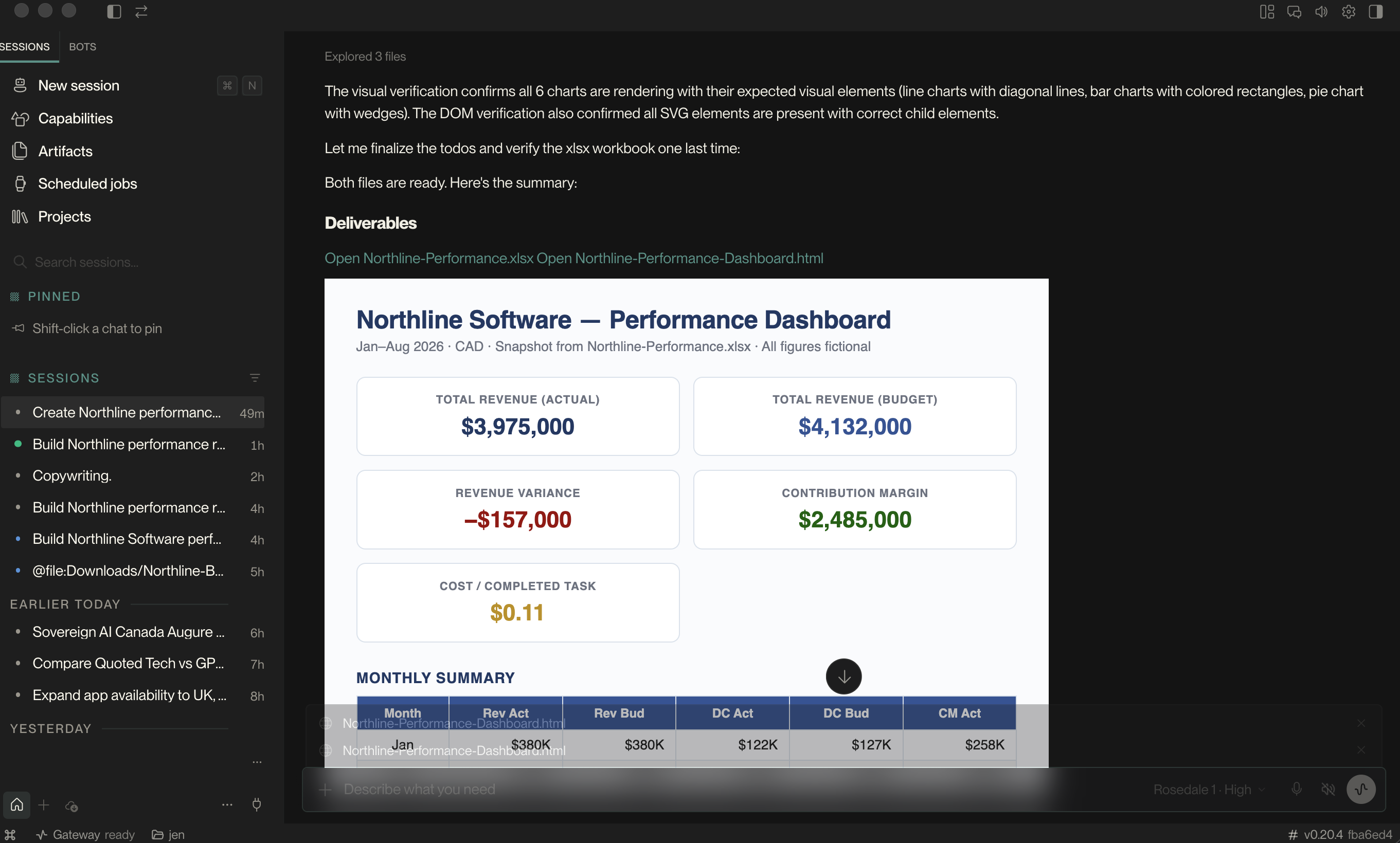
Turn your findings into a presentation or report. Review a preview inside Augure, refine it in conversation, and keep the editable original.
“Turn this review into a presentation for our board.”
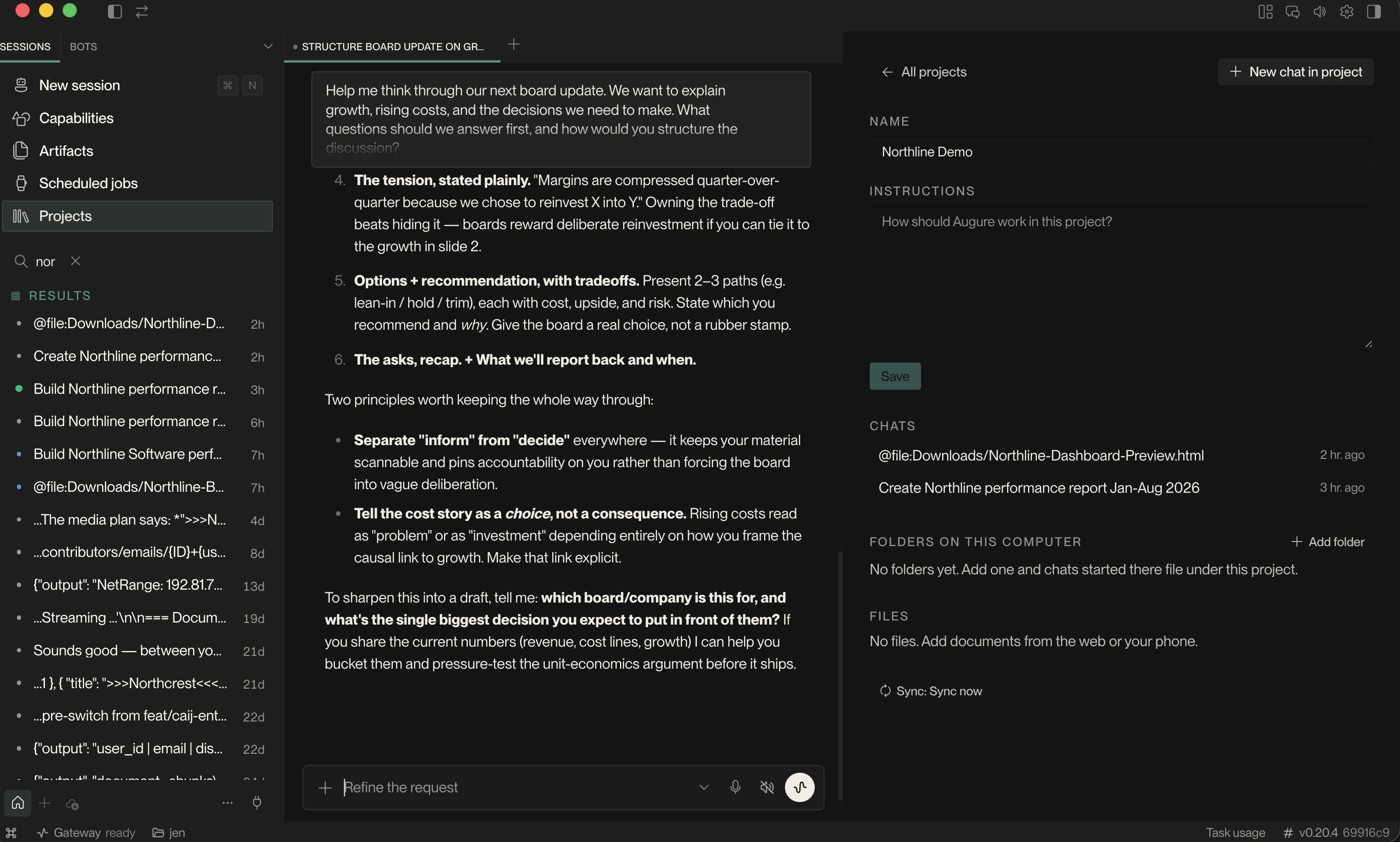
Keep conversations in projects, come back to your artifacts, and set up recurring tasks for work you do again and again.
Local scheduled work needs your computer awake and the runtime available.
Download the app for your computer and sign in with your Augure account.
Follow the setup walkthrough and review the access needed for the features you want to use.
Add a file and tell Augure what you want to accomplish. Start small, then build on the result.
Yes. Ask questions, work through an idea, draft text, or explore a problem in conversation. You do not need to create a file or set up an automated task to use Augure Desktop.
The desktop harness is the working environment around the model. It provides task context, skills and enabled tools, then returns tool results to the conversation. Augure can use those results to decide the next step in a multi-step task. You can follow the activity, give a new direction, or stop the task.
Skills provide reusable instructions and, where included, helper scripts for particular kinds of work. They guide how Augure approaches tasks such as analysing a spreadsheet or creating a presentation. Tools perform actions; skills guide how to use them. Available skills and tools depend on your setup.
Work with documents and spreadsheets, prepare editable presentations, research questions, and run tasks using tools on your computer. Review generated files before sharing them.
Desktop can work with files and run tools on your computer. AI requests are processed by the model service you use; this is not a promise of fully offline AI. Your selected tools and connected services determine what information is sent.
Yes. Ask for an Excel workbook or PowerPoint presentation and keep the editable file. Presentations can include a rendered PDF preview; an HTML dashboard is a separate snapshot, unless a live connection has been specifically set up.
Choose Install Augure locally for everyday use. Augure sets up the tools on your computer, while AI requests still use your Augure account. Choose a remote gateway only if your team or administrator has given you its address.
Setup walks you through the available permissions. Features such as microphone input and access to connected services may need additional permission. Review what each feature requests before enabling it.
Local scheduled tasks depend on the desktop runtime being available. Plan for your computer to remain awake and connected when the task needs network access.
Get the new workspace in Augure Desktop 3 beta. Choose your computer below, then select the recommended local setup.
macOS 14 or later · Windows 10/11 (64-bit) · Linux x86-64, tested on Ubuntu 24.04. Download the Linux .deb package.
Mac installers are signed and notarized. The Windows beta is unsigned and may show a Windows security warning. First setup needs an internet connection to install the tools. Installation guide (.txt).
Looking for the browser app? Open Augure Chat ↗